Products
Products represent the sellable goods in an e-commerce project.
Products contain ProductVariants, which represent a single sellable product (often an individual SKU). Efficiently mapping your goods to Products and ProductVariants is an important part of working with the API. For more information, see the Product Modeling Guide.
The ProductPriceMode controls whether the prices are embedded into the Product Variants (up to 100 per Product Variant) or stored separately as StandalonePrice (up to 50 000 per Product Variant).
Representations
Product
An abstract sellable good with a set of Attributes defined by a Product Type. Products themselves are not sellable. Instead, they act as a parent structure for Product Variants. Each Product must have at least one Product Variant, which is called the Master Variant. A single Product representation contains the current and the staged representation of its product data.
idString | Unique identifier of the Product. |
versionInt | Current version of the Product. |
keyString | User-defined unique identifier of the Product. This is different from the |
productType | The Product Type defining the Attributes of the Product. Cannot be changed. |
masterData | Contains the current and the staged representation of the product information. |
taxCategory | The TaxCategory of the Product. |
state | State of the Product. |
reviewRatingStatistics | Review statistics of the Product. |
priceMode | Type of Price to be used when looking up a price for the Product. Default:Embedded |
createdAt | Date and time (UTC) the Product was initially created. |
createdByBETA | Present on resources created after 1 February 2019 except for events not tracked. |
lastModifiedAt | Date and time (UTC) the Product was last updated. |
lastModifiedByBETA | Present on resources created after 1 February 2019 except for events not tracked. |
{"id" : "e7ba4c75-b1bb-483d-94d8-2c4a10f78472","version" : 2,"masterData" : {"current" : {"categories" : [ {"id" : "cf6d790a-f027-4f46-9a2b-4bc9a31066fb","typeId" : "category"} ],"description" : {"en" : "Sample description"},"masterVariant" : {"attributes" : [ ],"id" : 1,"images" : [ {"dimensions" : {"h" : 1400,"w" : 1400},"url" : "https://commercetools.com/cli/data/253245821_1.jpg"} ],"prices" : [ {"value" : {"type" : "centPrecision","fractionDigits" : 2,"centAmount" : 10000,"currencyCode" : "EUR"},"id" : "753472a3-ddff-4e0f-a93b-2eb29c90ba54"} ],"sku" : "sku_MB_PREMIUM_TECH_T_variant1_1369226795424"},"name" : {"en" : "MB PREMIUM TECH T"},"slug" : {"en" : "mb-premium-tech-t1369226795424"},"variants" : [ ],"searchKeywords" : { }},"hasStagedChanges" : false,"published" : true,"staged" : {"categories" : [ {"id" : "cf6d790a-f027-4f46-9a2b-4bc9a31066fb","typeId" : "category"} ],"description" : {"en" : "Sample description"},"masterVariant" : {"attributes" : [ ],"id" : 1,"images" : [ {"dimensions" : {"h" : 1400,"w" : 1400},"url" : "https://commercetools.com/cli/data/253245821_1.jpg"} ],"prices" : [ {"value" : {"type" : "centPrecision","fractionDigits" : 2,"centAmount" : 10000,"currencyCode" : "EUR"},"id" : "753472a3-ddff-4e0f-a93b-2eb29c90ba54"} ],"sku" : "sku_MB_PREMIUM_TECH_T_variant1_1369226795424"},"name" : {"en" : "MB PREMIUM TECH T"},"slug" : {"en" : "mb-premium-tech-t1369226795424"},"variants" : [ ],"searchKeywords" : { }}},"productType" : {"id" : "24f510c3-f334-4099-94e2-d6224a8eb919","typeId" : "product-type"},"taxCategory" : {"id" : "f1e10e3a-45eb-49d8-ad0b-fdf984202f59","typeId" : "tax-category"},"createdAt" : "1970-01-01T00:00:00.001Z","lastModifiedAt" : "1970-01-01T00:00:00.001Z"}
ProductDraft
keyString | User-defined unique identifier for the Product. |
productType | The Product Type defining the Attributes for the Product. Cannot be changed later. |
name | Name of the Product. |
slug | User-defined identifier used in a deep-link URL for the Product.
It must be unique across a Project, but a Product can have the same slug in different Locales.
It must match the pattern |
description | Description of the Product. |
categoriesArray of CategoryResourceIdentifier | Categories assigned to the Product. |
categoryOrderHints | Numerical values to allow ordering of Products within a specified Category. |
metaTitle | Title of the Product displayed in search results. |
metaDescription | Description of the Product displayed in search results. |
metaKeywords | Keywords that give additional information about the Product to search engines. |
masterVariant | The Product Variant to be the Master Variant for the Product. Required if |
variantsArray of ProductVariantDraft | The additional Product Variants for the Product. |
taxCategory | The Tax Category to be assigned to the Product. |
searchKeywords | Used by Product Suggestions, but is also considered for a full text search. |
state | State to be assigned to the Product. |
publishBoolean | If false |
priceMode | Specifies the type of prices used when looking up a price for the Product. Default:Embedded |
{"productType" : {"id" : "24f510c3-f334-4099-94e2-d6224a8eb919","typeId" : "product-type"},"categories" : [ {"typeId" : "category","id" : "24f510c3-f334-4099-94e2-d6224a8eb919"} ],"name" : {"en" : "Some Product"},"slug" : {"en" : "product_slug_<random-uuid>"},"masterVariant" : {"sku" : "SKU-1","prices" : [ {"value" : {"currencyCode" : "EUR","centAmount" : 4200}} ],"images" : [ {"url" : "http://my.custom.cdn.net/master.png","label" : "Master Image","dimensions" : {"w" : 303,"h" : 197}} ]},"variants" : [ {"images" : [ {"url" : "http://my.custom.cdn.net/variant.png","label" : "Variant Image","dimensions" : {"w" : 303,"h" : 197}} ]} ]}
ProductPagedQueryResponse
PagedQueryResult with results containing an array of Product.
limitInt | Number of results requested. |
offsetInt | Number of elements skipped. |
countInt | Actual number of results returned. |
totalInt | Total number of results matching the query.
This number is an estimation that is not strongly consistent.
This field is returned by default.
For improved performance, calculating this field can be deactivated by using the query parameter |
resultsArray of Product | Products matching the query. |
ProductReference
ProductResourceIdentifier
ResourceIdentifier to a Product. Either id or key is required.
ProductCatalogData
Contains the current and staged ProductData.
publishedBoolean |
|
current | Current (published) data of the Product. |
staged | Staged (unpublished) data of the Product. |
hasStagedChangesBoolean |
|
ProductData
Contains all the data of a Product and its Product Variants.
name | Name of the Product. |
categoriesArray of CategoryReference | Categories assigned to the Product. |
categoryOrderHints | Numerical values to allow ordering of Products within a specified Category. |
description | Description of the Product. |
slug | User-defined identifier used in a deep-link URL for the Product.
Must be unique across a Project, but can be the same for Products in different Locales.
Matches the pattern |
metaTitle | Title of the Product displayed in search results. |
metaDescription | Description of the Product displayed in search results below the meta title. |
metaKeywords | Keywords that give additional information about the Product to search engines. |
masterVariant | The Master Variant of the Product. |
variantsArray of ProductVariant | Additional Product Variants. |
searchKeywords | Used by Product Suggestions, but is also considered for a full text search. |
CategoryOrderHints
JSON object where the key is a Category id and the value is an order hint.
Allows controlling the order of Products and how they appear in Categories. Products with no order hint have an order score below 0. Order hints are non-unique.
If a subset of Products have the same value for order hint in a specific category, the behavior is undetermined.
/[0-9].[0-9]*[1-9]/Any string property matching this regular expression | A string representing a number between 0 and 1 that must start with |
{"categoryOrderHints" : {"7bcd33e6-c1c7-4b96-8d70-9b9b18b19b70" : "0.992"}}
SearchKeywords
Search keywords are primarily used by Product Suggestions, but are also considered for a full-text search. SearchKeywords is a JSON object where the keys are of type Locale and the values are an array of SearchKeyword.
{"en": [{ "text": "Multi tool" },{ "text": "Swiss Army Knife", "suggestTokenizer": { "type": "whitespace" } }],"de": [{"text": "Schweizer Messer","suggestTokenizer": {"type": "custom","inputs": ["schweizer messer", "offiziersmesser", "sackmesser"]}}]}
SearchKeyword
textString | Text to return in the result of a suggest query. |
suggestTokenizer | If no tokenizer is defined, the |
SuggestTokenizer
Defines tokens that are used to match against the suggest query input. Can be differentiated by the type field.
Whitespace Tokenizer
Creates tokens by splitting the text field in SearchKeyword by whitespaces.
typeString | "whitespace" |
Custom Tokenizer
Define arbitrary tokens that are used to match the input.
typeString | "custom" |
inputsArray of String | Contains custom tokens. |
ProductVariant
A concrete sellable good for which inventory can be tracked. Product Variants are generally mapped to specific SKUs.
idInt | A unique, sequential identifier of the Product Variant within the Product. |
keyString | User-defined unique identifier of the ProductVariant. This is different from Product |
skuString | User-defined unique SKU of the Product Variant. |
pricesArray of Price | The Embedded Prices of the Product Variant.
Cannot contain two Prices of the same Price scope (with same currency, country, Customer Group, Channel, |
attributesArray of Attribute | Attributes of the Product Variant. |
price | Only available when Price selection is used. Cannot be used in a Query Predicate. |
imagesArray of Image | Images of the Product Variant. |
assetsArray of Asset | Media assets of the Product Variant. |
availability | Set if the Product Variant is tracked by Inventory. Can be used as an optimization to reduce calls to the Inventory service. May not contain the latest Inventory State (it is eventually consistent). |
isMatchingVariantBoolean |
|
scopedPrice | Only available in response to a Product Projection Search request with price selection. Can be used to sort, filter, and facet. |
scopedPriceDiscountedBoolean | Only available in response to a Product Projection Search request with price selection. |
ProductVariantDraft
Creates a Product Variant when included in the masterVariant and variants fields of the ProductDraft.
keyString | User-defined unique identifier for the ProductVariant. |
skuString | User-defined unique SKU of the Product Variant. |
pricesArray of PriceDraft | The Embedded Prices for the Product Variant.
Each Price must have its unique Price scope (with same currency, country, Customer Group, Channel, 100 |
attributesArray of Attribute | Attributes according to the respective AttributeDefinition. |
imagesArray of Image | Images for the Product Variant. |
assetsArray of AssetDraft | Media assets for the Product Variant. |
Attribute
When using attributes with GraphQL API mutations, you must escape any strings in the value field: "value" : "\"A value\"".
nameString | Name of the Attribute. |
valueAny | The AttributeType determines the format of the Attribute
|
Image
Product images can be uploaded using the image upload endpoint or the Merchant Center. An image uploaded to commercetools Composable Commerce is stored in a Content Delivery Network and is available in several pre-defined sizes.
If you already have an image stored on an external service, you can save the URL when creating a new Product or adding a ProductVariant, or you can add it later. An image is represented in the following way:
urlString | URL of the image in its original size that must be unique within a single ProductVariant. |
dimensions | Dimensions of the original image. |
labelString | Custom label for the image. |
Images in specific sizes are obtained by adding a size suffix before the filename extension:
-thumb(50x50) - example-small(150x150) - example-medium(400x400) - example-large(700x700) - example-zoom(1400x1400) - example- the original size of the uploaded image is provided without a suffix - example

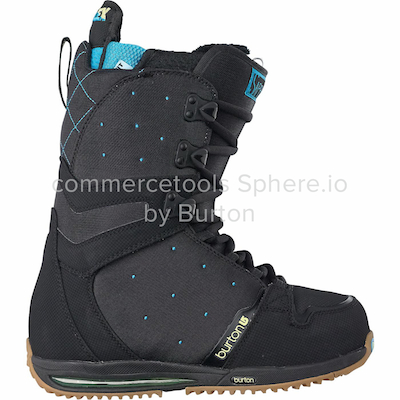
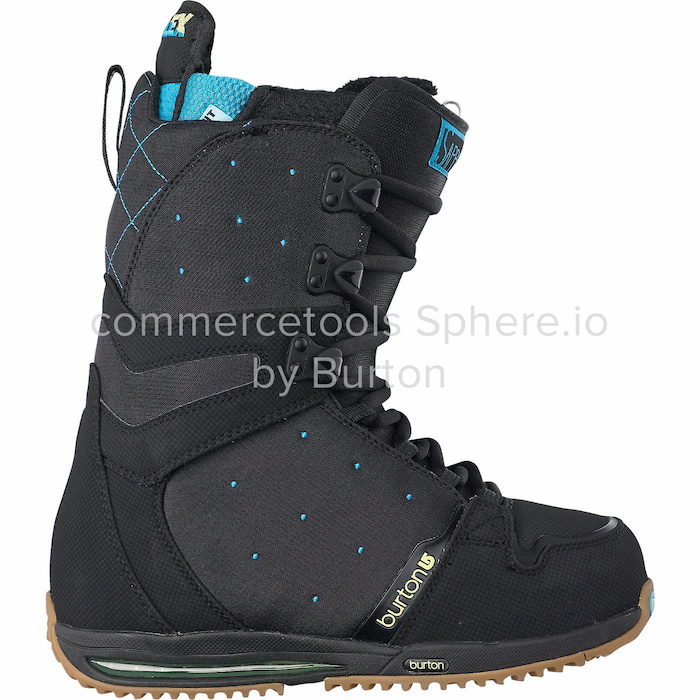
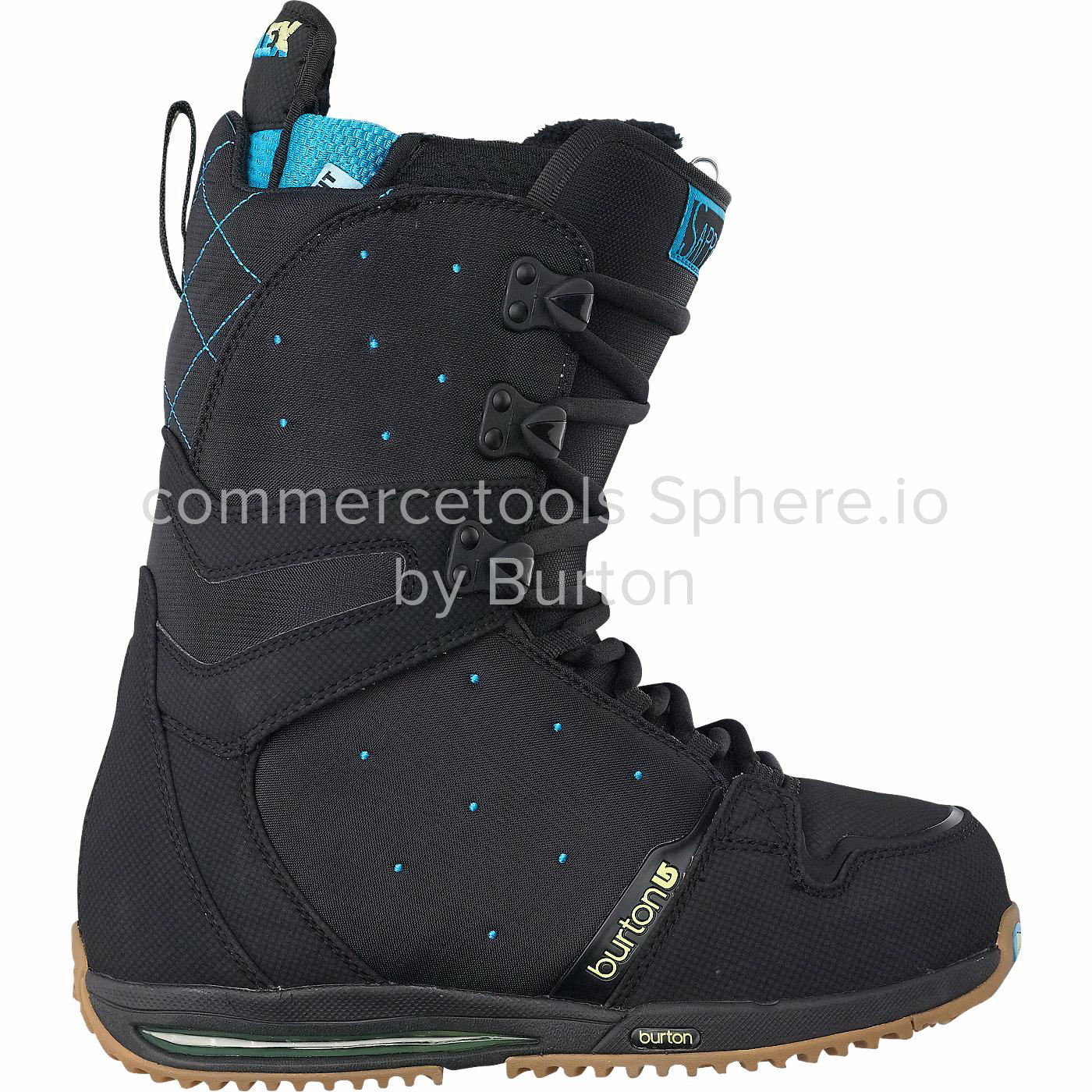
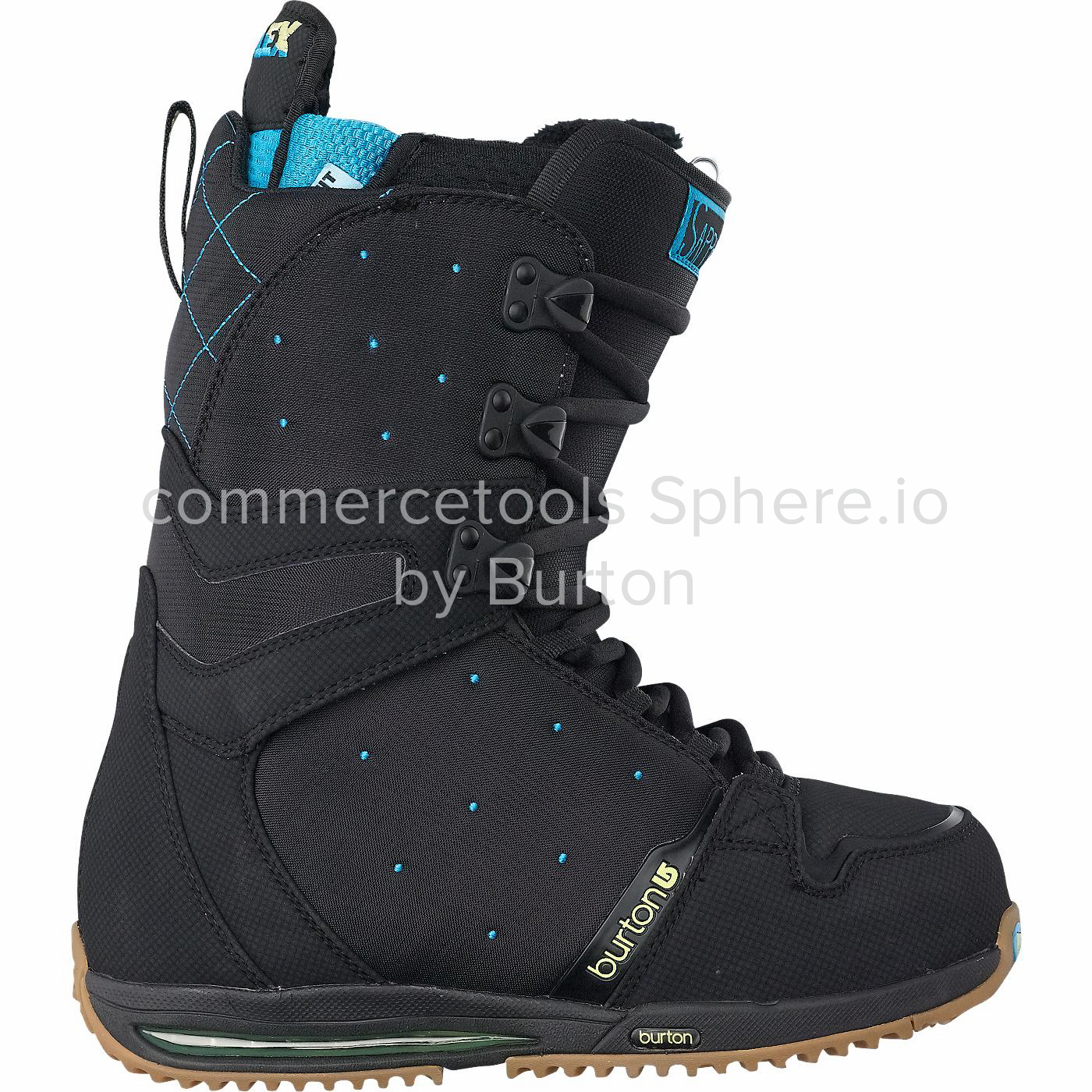
Images will never be scaled up. If the original image is tiny, it will keep its original size, even in the "large" and "zoom" sizes.
ProductVariants do not share images. To use the same set of images for multiple ProductVariants, you can implement this in your application by always showing the images of the Master Variant, regardless of the selected ProductVariant.
ImageDimensions
wInt | Width of the image. |
hInt | Height of the image. |
ProductVariantAvailability
The InventoryEntry information of the Product Variant. If there is a supply Channel for the InventoryEntry, then channels is returned. If not, then isOnStock, restockableInDays, and quantityOnStock are returned.
channels | For each InventoryEntry with a supply Channel, an entry is added to |
isOnStockBoolean | Indicates whether a Product Variant is in stock. |
restockableInDaysInt | Number of days to restock a Product Variant once it is out of stock. |
availableQuantityInt | Number of items of the Product Variant that are in stock. |
ProductVariantChannelAvailabilityMap
A JSON object where the key is a supply Channel id and the value is the ProductVariantChannelAvailability of the InventoryEntry.
{"cd724bd4-52fa-4d6d-b4b0-bb1560d70475": {"isOnStock": true,"restockableInDays": 10,"availableQuantity": 20,"version": 1,"id": "f64af276-a1ad-4eea-a8bc-89c453742a40"}}
ProductVariantChannelAvailability
idString | Unique identifier of the InventoryEntry. |
versionInt | Current version of the InventoryEntry. |
isOnStockBoolean | Indicates whether a Product Variant is in stock in a specified Channel. |
restockableInDaysInt | Number of days to restock a Product Variant once it is out of stock in a specified Channel. |
availableQuantityInt | Number of items of this Product Variant that are in stock in a specified Channel. |
ProductPriceMode
This mode determines the type of Prices used for Product Price Selection as well as for LineItem Price selection.
EmbeddedComposable Commerce uses the Embedded Prices located inside the
pricesfield in ProductVariant.StandaloneComposable Commerce uses StandalonePrices, which are associated with the ProductVariant through the
skufield.
Changing the Price mode does not change the behavior of the update actions Add Embedded Price, Set Embedded Prices, Change Embedded Price and Remove Embedded Price, which are only meant for managing Embedded Prices.
The prices array in ProductVariant contains only Embedded Prices regardless of the current Price mode.
No migration from Embedded Prices to StandalonePrices (or vice versa) takes place when changing the Price mode of a Product.
Price Selection
The Cart addLineItem update action selects a price associated with the Product as indicated by priceMode and based on the currency, country, Customer Group, Channel, and a date. Product-related endpoints also provide the same price selection logic to help the shop to show the right price to Customers.
If priceCurrency and any other Price selection parameter priceCountry, priceCustomerGroup or priceChannel are provided as a query parameter and a matching Price exists, a price field containing the matching Price is added to the ProductVariant of the returned Product Projections.
Price validity dates are taken into account (see validFrom and validUntil in Embedded Price and StandalonePrice).
The Price is shown only when the timestamp of the request is within validFrom - ValidUntil range.
ScopedPrice
Scoped Price is contained in a ProductVariant which is returned in response to a Search Product Projection request when Price Selection is used.
idString | Platform-generated unique identifier of the Price. |
value | Original value of the Price. |
currentValue | If available, either the original price |
country | Country code of the geographic location. Pattern:^[A-Z]{2}$ |
customerGroup | Reference to a CustomerGroup. |
channel | Reference to a Channel. |
validFrom | Date and time from which the Price is valid. |
validUntil | Date and time until which the Price is valid. |
discounted | Is set if a matching ProductDiscount exists. If set, the Cart uses the discounted value for the Cart Price calculation. When a relative Product Discount is applied and the fractional part of the discounted Price is 0.5, the discounted Price is rounded half down in favor of the Customer. |
custom | Custom Fields for the Price. |
Changing the Date for Price Selection
The priceDate parameter overrides the request's timestamp, selecting a valid Price from the past or the future.
When priceDate does not equal the current date, Product Discounts are not taken into account. For example, if you create a Product Discount with validity dates in the future, and use priceDate in the Product Discount's timeframe, the future Price selected will not include the Product Discount, even if the discount is valid for the date specified in the priceDate parameter.
Get Product
Get Product by ID
If Price selection query parameters are provided, the selected Prices are added to the response.
view_products:{projectKey}regionString | Region in which the Project is hosted. |
projectKeyString |
|
idString |
|
expand | The parameter can be passed multiple times. |
priceCurrency | Use for Price selection. |
priceCountry | Use for Price selection.
Can only be used in conjunction with the |
priceCustomerGroupString |
|
priceChannelString |
|
200Product
curl -X GET https://api.{region}.commercetools.com/{projectKey}/products/{id} -i \--header 'Authorization: Bearer ${BEARER_TOKEN}'
{"id" : "e7ba4c75-b1bb-483d-94d8-2c4a10f78472","version" : 2,"masterData" : {"current" : {"categories" : [ {"id" : "cf6d790a-f027-4f46-9a2b-4bc9a31066fb","typeId" : "category"} ],"description" : {"en" : "Sample description"},"masterVariant" : {"attributes" : [ ],"id" : 1,"images" : [ {"dimensions" : {"h" : 1400,"w" : 1400},"url" : "https://commercetools.com/cli/data/253245821_1.jpg"} ],"prices" : [ {"value" : {"type" : "centPrecision","fractionDigits" : 2,"centAmount" : 10000,"currencyCode" : "EUR"},"id" : "753472a3-ddff-4e0f-a93b-2eb29c90ba54"} ],"sku" : "sku_MB_PREMIUM_TECH_T_variant1_1369226795424"},"name" : {"en" : "MB PREMIUM TECH T"},"slug" : {"en" : "mb-premium-tech-t1369226795424"},"variants" : [ ],"searchKeywords" : { }},"hasStagedChanges" : false,"published" : true,"staged" : {"categories" : [ {"id" : "cf6d790a-f027-4f46-9a2b-4bc9a31066fb","typeId" : "category"} ],"description" : {"en" : "Sample description"},"masterVariant" : {"attributes" : [ ],"id" : 1,"images" : [ {"dimensions" : {"h" : 1400,"w" : 1400},"url" : "https://commercetools.com/cli/data/253245821_1.jpg"} ],"prices" : [ {"value" : {"type" : "centPrecision","fractionDigits" : 2,"centAmount" : 10000,"currencyCode" : "EUR"},"id" : "753472a3-ddff-4e0f-a93b-2eb29c90ba54"} ],"sku" : "sku_MB_PREMIUM_TECH_T_variant1_1369226795424"},"name" : {"en" : "MB PREMIUM TECH T"},"slug" : {"en" : "mb-premium-tech-t1369226795424"},"variants" : [ ],"searchKeywords" : { }}},"productType" : {"id" : "24f510c3-f334-4099-94e2-d6224a8eb919","typeId" : "product-type"},"taxCategory" : {"id" : "f1e10e3a-45eb-49d8-ad0b-fdf984202f59","typeId" : "tax-category"},"createdAt" : "1970-01-01T00:00:00.001Z","lastModifiedAt" : "1970-01-01T00:00:00.001Z"}
Get Product by Key
If Price selection query parameters are provided, the selected Prices are added to the response.
view_products:{projectKey}regionString | Region in which the Project is hosted. |
projectKeyString |
|
keyString |
|
expand | The parameter can be passed multiple times. |
priceCurrency | Use for Price selection. |
priceCountry | Use for Price selection.
Can only be used in conjunction with the |
priceCustomerGroupString |
|
priceChannelString |
|
200Product
curl -X GET https://api.{region}.commercetools.com/{projectKey}/products/key={key} -i \--header 'Authorization: Bearer ${BEARER_TOKEN}'
{"id" : "e7ba4c75-b1bb-483d-94d8-2c4a10f78472","version" : 2,"masterData" : {"current" : {"categories" : [ {"id" : "cf6d790a-f027-4f46-9a2b-4bc9a31066fb","typeId" : "category"} ],"description" : {"en" : "Sample description"},"masterVariant" : {"attributes" : [ ],"id" : 1,"images" : [ {"dimensions" : {"h" : 1400,"w" : 1400},"url" : "https://commercetools.com/cli/data/253245821_1.jpg"} ],"prices" : [ {"value" : {"type" : "centPrecision","fractionDigits" : 2,"centAmount" : 10000,"currencyCode" : "EUR"},"id" : "753472a3-ddff-4e0f-a93b-2eb29c90ba54"} ],"sku" : "sku_MB_PREMIUM_TECH_T_variant1_1369226795424"},"name" : {"en" : "MB PREMIUM TECH T"},"slug" : {"en" : "mb-premium-tech-t1369226795424"},"variants" : [ ],"searchKeywords" : { }},"hasStagedChanges" : false,"published" : true,"staged" : {"categories" : [ {"id" : "cf6d790a-f027-4f46-9a2b-4bc9a31066fb","typeId" : "category"} ],"description" : {"en" : "Sample description"},"masterVariant" : {"attributes" : [ ],"id" : 1,"images" : [ {"dimensions" : {"h" : 1400,"w" : 1400},"url" : "https://commercetools.com/cli/data/253245821_1.jpg"} ],"prices" : [ {"value" : {"type" : "centPrecision","fractionDigits" : 2,"centAmount" : 10000,"currencyCode" : "EUR"},"id" : "753472a3-ddff-4e0f-a93b-2eb29c90ba54"} ],"sku" : "sku_MB_PREMIUM_TECH_T_variant1_1369226795424"},"name" : {"en" : "MB PREMIUM TECH T"},"slug" : {"en" : "mb-premium-tech-t1369226795424"},"variants" : [ ],"searchKeywords" : { }}},"productType" : {"id" : "24f510c3-f334-4099-94e2-d6224a8eb919","typeId" : "product-type"},"taxCategory" : {"id" : "f1e10e3a-45eb-49d8-ad0b-fdf984202f59","typeId" : "tax-category"},"createdAt" : "1970-01-01T00:00:00.001Z","lastModifiedAt" : "1970-01-01T00:00:00.001Z"}
Check existence of Products
Check existence of Product by ID
Check if a Product exists with a specified id. Responds with a 200 OK status if the Product exists or 404 Not Found otherwise.
view_products:{projectKey}regionString | Region in which the Project is hosted. |
projectKeyString |
|
idString |
|
200No body is returned.
curl -X HEAD https://api.{region}.commercetools.com/{projectKey}/products/{id} -i \--header 'Authorization: Bearer ${BEARER_TOKEN}'
Check existence of Product by Key
Check if a Product exists with a specified key. Responds with a 200 OK status if the Product exists or 404 Not Found otherwise.
view_products:{projectKey}regionString | Region in which the Project is hosted. |
projectKeyString |
|
keyString |
|
200No body is returned.
curl -X HEAD https://api.{region}.commercetools.com/{projectKey}/products/key={key} -i \--header 'Authorization: Bearer ${BEARER_TOKEN}'
Check existence of Products by Query Predicate
Check if Products exist. Responds with a 200 OK status if any Products match the Query Predicate, or 404 Not Found otherwise.
view_products:{projectKey}regionString | Region in which the Project is hosted. |
projectKeyString |
|
where |
200No body is returned.
curl -X HEAD https://api.{region}.commercetools.com/{projectKey}/products -i \--header 'Authorization: Bearer ${BEARER_TOKEN}'
Query Products
Querying Product Attributes should not be used in high-volume use cases as it is an inefficient pattern.
We recommend using the performance-optimized Search Product Projections endpoint, which provides some functionalities that the query API lacks (including sorting by custom Attributes).
If Price selection query parameters are provided, the selected Prices are added to the response.
view_products:{projectKey}regionString | Region in which the Project is hosted. |
projectKeyString |
|
where | |
/^var[.][a-zA-Z0-9]+$/Any string parameter matching this regular expression | Predicate parameter values. The parameter can be passed multiple times. |
sort | The parameter can be passed multiple times. |
expand | The parameter can be passed multiple times. |
limitInt | Number of results requested. |
offsetInt | Number of elements skipped. |
withTotalBoolean | Controls the calculation of the total number of query results. Set to |
priceCurrency | Use for Price selection. |
priceCountry | Use for Price selection.
Can only be used in conjunction with the |
priceCustomerGroupString |
|
priceChannelString |
|
curl -X GET https://api.{region}.commercetools.com/{projectKey}/products -i \--header 'Authorization: Bearer ${BEARER_TOKEN}'
{"limit" : 20,"offset" : 0,"count" : 1,"total" : 1,"results" : [ {"id" : "e7ba4c75-b1bb-483d-94d8-2c4a10f78472","masterData" : {"current" : {"categories" : [ {"id" : "cf6d790a-f027-4f46-9a2b-4bc9a31066fb","typeId" : "category"} ],"description" : {"en" : "Sample description"},"masterVariant" : {"attributes" : [ ],"id" : 1,"images" : [ {"dimensions" : {"h" : 1400,"w" : 1400},"url" : "https://commercetools.com/cli/data/253245821_1.jpg"} ],"prices" : [ {"value" : {"type" : "centPrecision","fractionDigits" : 2,"centAmount" : 10000,"currencyCode" : "EUR"},"id" : "753472a3-ddff-4e0f-a93b-2eb29c90ba54"} ],"sku" : "sku_MB_PREMIUM_TECH_T_variant1_1369226795424"},"name" : {"en" : "MB PREMIUM TECH T"},"slug" : {"en" : "mb-premium-tech-t1369226795424"},"variants" : [ ],"searchKeywords" : { }},"hasStagedChanges" : false,"published" : true,"staged" : {"categories" : [ {"id" : "cf6d790a-f027-4f46-9a2b-4bc9a31066fb","typeId" : "category"} ],"description" : {"en" : "Sample description"},"masterVariant" : {"attributes" : [ ],"id" : 1,"images" : [ {"dimensions" : {"h" : 1400,"w" : 1400},"url" : "https://commercetools.com/cli/data/253245821_1.jpg"} ],"prices" : [ {"value" : {"type" : "centPrecision","fractionDigits" : 2,"centAmount" : 10000,"currencyCode" : "EUR"},"id" : "753472a3-ddff-4e0f-a93b-2eb29c90ba54"} ],"sku" : "sku_MB_PREMIUM_TECH_T_variant1_1369226795424"},"name" : {"en" : "MB PREMIUM TECH T"},"slug" : {"en" : "mb-premium-tech-t1369226795424"},"variants" : [ ],"searchKeywords" : { }}},"productType" : {"id" : "24f510c3-f334-4099-94e2-d6224a8eb919","typeId" : "product-type"},"taxCategory" : {"id" : "f1e10e3a-45eb-49d8-ad0b-fdf984202f59","typeId" : "tax-category"},"version" : 2,"createdAt" : "1970-01-01T00:00:00.001Z","lastModifiedAt" : "1970-01-01T00:00:00.001Z"} ]}
Query Product Selections for Product BETA
Retrieves Product Selections that contain the given Product.
Query Product Selections for Product by ID
view_product_selections:{projectKey}regionString | Region in which the Project is hosted. |
projectKeyString |
|
idString |
|
where | The parameter can be passed multiple times. |
/^var[.][a-zA-Z0-9]+$/Any string parameter matching this regular expression | Predicate parameter values. The parameter can be passed multiple times. |
sort | The parameter can be passed multiple times. |
expand | The parameter can be passed multiple times. |
limitInt | Number of results requested. |
offsetInt | Number of elements skipped. |
withTotalBoolean | Controls the calculation of the total number of query results. Set to |
curl -X GET https://api.{region}.commercetools.com/{projectKey}/products/{id}/product-selections -i \--header 'Authorization: Bearer ${BEARER_TOKEN}'
{"limit" : 20,"offset" : 0,"count" : 1,"results" : [ {"productSelection" : {"typeId" : "product-selection","id" : "2e89d89b-bdfb-4339-8e53-7638966a97c2"}} ]}
Create Product
To create a new Product, send a representation that is going to become the initial staged representation of the new Product in the master catalog. If Price Selection query parameters are provided, selected Prices will be added to the response. Produces the ProductCreated Message.
manage_products:{projectKey}regionString | Region in which the Project is hosted. |
projectKeyString |
|
expand | The parameter can be passed multiple times. |
priceCurrency | Use for Price selection. |
priceCountry | Use for Price selection.
Can only be used in conjunction with the |
priceCustomerGroupString |
|
priceChannelString |
|
201Product
curl -X POST https://api.{region}.commercetools.com/{projectKey}/products -i \--header 'Authorization: Bearer ${BEARER_TOKEN}' \--header 'Content-Type: application/json' \--data-binary @- << DATA{"productType" : {"id" : "24f510c3-f334-4099-94e2-d6224a8eb919","typeId" : "product-type"},"categories" : [ {"typeId" : "category","id" : "24f510c3-f334-4099-94e2-d6224a8eb919"} ],"name" : {"en" : "Some Product"},"slug" : {"en" : "product_slug_<random-uuid>"},"masterVariant" : {"sku" : "SKU-1","prices" : [ {"value" : {"currencyCode" : "EUR","centAmount" : 4200}} ],"images" : [ {"url" : "http://my.custom.cdn.net/master.png","label" : "Master Image","dimensions" : {"w" : 303,"h" : 197}} ]},"variants" : [ {"images" : [ {"url" : "http://my.custom.cdn.net/variant.png","label" : "Variant Image","dimensions" : {"w" : 303,"h" : 197}} ]} ]}DATA
{"id" : "e7ba4c75-b1bb-483d-94d8-2c4a10f78472","version" : 2,"masterData" : {"current" : {"categories" : [ {"id" : "cf6d790a-f027-4f46-9a2b-4bc9a31066fb","typeId" : "category"} ],"description" : {"en" : "Sample description"},"masterVariant" : {"attributes" : [ ],"id" : 1,"images" : [ {"dimensions" : {"h" : 1400,"w" : 1400},"url" : "https://commercetools.com/cli/data/253245821_1.jpg"} ],"prices" : [ {"value" : {"type" : "centPrecision","fractionDigits" : 2,"centAmount" : 10000,"currencyCode" : "EUR"},"id" : "753472a3-ddff-4e0f-a93b-2eb29c90ba54"} ],"sku" : "sku_MB_PREMIUM_TECH_T_variant1_1369226795424"},"name" : {"en" : "MB PREMIUM TECH T"},"slug" : {"en" : "mb-premium-tech-t1369226795424"},"variants" : [ ],"searchKeywords" : { }},"hasStagedChanges" : false,"published" : true,"staged" : {"categories" : [ {"id" : "cf6d790a-f027-4f46-9a2b-4bc9a31066fb","typeId" : "category"} ],"description" : {"en" : "Sample description"},"masterVariant" : {"attributes" : [ ],"id" : 1,"images" : [ {"dimensions" : {"h" : 1400,"w" : 1400},"url" : "https://commercetools.com/cli/data/253245821_1.jpg"} ],"prices" : [ {"value" : {"type" : "centPrecision","fractionDigits" : 2,"centAmount" : 10000,"currencyCode" : "EUR"},"id" : "753472a3-ddff-4e0f-a93b-2eb29c90ba54"} ],"sku" : "sku_MB_PREMIUM_TECH_T_variant1_1369226795424"},"name" : {"en" : "MB PREMIUM TECH T"},"slug" : {"en" : "mb-premium-tech-t1369226795424"},"variants" : [ ],"searchKeywords" : { }}},"productType" : {"id" : "24f510c3-f334-4099-94e2-d6224a8eb919","typeId" : "product-type"},"taxCategory" : {"id" : "f1e10e3a-45eb-49d8-ad0b-fdf984202f59","typeId" : "tax-category"},"createdAt" : "1970-01-01T00:00:00.001Z","lastModifiedAt" : "1970-01-01T00:00:00.001Z"}
Update Product
Update Product by ID
If Price selection query parameters are provided, the selected Prices are added to the response.
manage_products:{projectKey}regionString | Region in which the Project is hosted. |
projectKeyString |
|
idString |
|
expand | The parameter can be passed multiple times. |
priceCurrency | Use for Price selection. |
priceCountry | Use for Price selection.
Can only be used in conjunction with the |
priceCustomerGroupString |
|
priceChannelString |
|
versionInt | Expected version of the Product on which the changes should be applied. If the expected version does not match the actual version, a 409 Conflict will be returned. |
actionsArray of ProductUpdateAction | Update actions to be performed on the Product. |
200Product
curl -X POST https://api.{region}.commercetools.com/{projectKey}/products/{id} -i \--header 'Authorization: Bearer ${BEARER_TOKEN}' \--header 'Content-Type: application/json' \--data-binary @- << DATA{"version" : 2,"actions" : [ {"action" : "setDescription","description" : {"en" : "The best product ever!"}} ]}DATA
{"id" : "e7ba4c75-b1bb-483d-94d8-2c4a10f78472","version" : 2,"masterData" : {"current" : {"categories" : [ {"id" : "cf6d790a-f027-4f46-9a2b-4bc9a31066fb","typeId" : "category"} ],"description" : {"en" : "Sample description"},"masterVariant" : {"attributes" : [ ],"id" : 1,"images" : [ {"dimensions" : {"h" : 1400,"w" : 1400},"url" : "https://commercetools.com/cli/data/253245821_1.jpg"} ],"prices" : [ {"value" : {"type" : "centPrecision","fractionDigits" : 2,"centAmount" : 10000,"currencyCode" : "EUR"},"id" : "753472a3-ddff-4e0f-a93b-2eb29c90ba54"} ],"sku" : "sku_MB_PREMIUM_TECH_T_variant1_1369226795424"},"name" : {"en" : "MB PREMIUM TECH T"},"slug" : {"en" : "mb-premium-tech-t1369226795424"},"variants" : [ ],"searchKeywords" : { }},"hasStagedChanges" : false,"published" : true,"staged" : {"categories" : [ {"id" : "cf6d790a-f027-4f46-9a2b-4bc9a31066fb","typeId" : "category"} ],"description" : {"en" : "Sample description"},"masterVariant" : {"attributes" : [ ],"id" : 1,"images" : [ {"dimensions" : {"h" : 1400,"w" : 1400},"url" : "https://commercetools.com/cli/data/253245821_1.jpg"} ],"prices" : [ {"value" : {"type" : "centPrecision","fractionDigits" : 2,"centAmount" : 10000,"currencyCode" : "EUR"},"id" : "753472a3-ddff-4e0f-a93b-2eb29c90ba54"} ],"sku" : "sku_MB_PREMIUM_TECH_T_variant1_1369226795424"},"name" : {"en" : "MB PREMIUM TECH T"},"slug" : {"en" : "mb-premium-tech-t1369226795424"},"variants" : [ ],"searchKeywords" : { }}},"productType" : {"id" : "24f510c3-f334-4099-94e2-d6224a8eb919","typeId" : "product-type"},"taxCategory" : {"id" : "f1e10e3a-45eb-49d8-ad0b-fdf984202f59","typeId" : "tax-category"},"createdAt" : "1970-01-01T00:00:00.001Z","lastModifiedAt" : "1970-01-01T00:00:00.001Z"}
Specific Error Codes:
DuplicatePriceScopeDuplicateVariantValuesDuplicateAttributeValueDuplicateAttributeValues
Update Product by Key
manage_products:{projectKey}regionString | Region in which the Project is hosted. |
projectKeyString |
|
keyString |
|
expand | The parameter can be passed multiple times. |
priceCurrency | Use for Price selection. |
priceCountry | Use for Price selection.
Can only be used in conjunction with the |
priceCustomerGroupString |
|
priceChannelString |
|
versionInt | Expected version of the Product on which the changes should be applied. If the expected version does not match the actual version, a 409 Conflict will be returned. |
actionsArray of ProductUpdateAction | Update actions to be performed on the Product. |
200Product
curl -X POST https://api.{region}.commercetools.com/{projectKey}/products/key={key} -i \--header 'Authorization: Bearer ${BEARER_TOKEN}' \--header 'Content-Type: application/json' \--data-binary @- << DATA{"version" : 2,"actions" : [ {"action" : "setDescription","description" : {"en" : "The best product ever!"}} ]}DATA
{"id" : "e7ba4c75-b1bb-483d-94d8-2c4a10f78472","version" : 2,"masterData" : {"current" : {"categories" : [ {"id" : "cf6d790a-f027-4f46-9a2b-4bc9a31066fb","typeId" : "category"} ],"description" : {"en" : "Sample description"},"masterVariant" : {"attributes" : [ ],"id" : 1,"images" : [ {"dimensions" : {"h" : 1400,"w" : 1400},"url" : "https://commercetools.com/cli/data/253245821_1.jpg"} ],"prices" : [ {"value" : {"type" : "centPrecision","fractionDigits" : 2,"centAmount" : 10000,"currencyCode" : "EUR"},"id" : "753472a3-ddff-4e0f-a93b-2eb29c90ba54"} ],"sku" : "sku_MB_PREMIUM_TECH_T_variant1_1369226795424"},"name" : {"en" : "MB PREMIUM TECH T"},"slug" : {"en" : "mb-premium-tech-t1369226795424"},"variants" : [ ],"searchKeywords" : { }},"hasStagedChanges" : false,"published" : true,"staged" : {"categories" : [ {"id" : "cf6d790a-f027-4f46-9a2b-4bc9a31066fb","typeId" : "category"} ],"description" : {"en" : "Sample description"},"masterVariant" : {"attributes" : [ ],"id" : 1,"images" : [ {"dimensions" : {"h" : 1400,"w" : 1400},"url" : "https://commercetools.com/cli/data/253245821_1.jpg"} ],"prices" : [ {"value" : {"type" : "centPrecision","fractionDigits" : 2,"centAmount" : 10000,"currencyCode" : "EUR"},"id" : "753472a3-ddff-4e0f-a93b-2eb29c90ba54"} ],"sku" : "sku_MB_PREMIUM_TECH_T_variant1_1369226795424"},"name" : {"en" : "MB PREMIUM TECH T"},"slug" : {"en" : "mb-premium-tech-t1369226795424"},"variants" : [ ],"searchKeywords" : { }}},"productType" : {"id" : "24f510c3-f334-4099-94e2-d6224a8eb919","typeId" : "product-type"},"taxCategory" : {"id" : "f1e10e3a-45eb-49d8-ad0b-fdf984202f59","typeId" : "tax-category"},"createdAt" : "1970-01-01T00:00:00.001Z","lastModifiedAt" : "1970-01-01T00:00:00.001Z"}
Specific Error Codes:
DuplicatePriceScopeDuplicateVariantValuesDuplicateAttributeValueDuplicateAttributeValues
Update actions
Set Product Key
actionString | "setKey" |
keyString | Value to set. If empty, any existing value will be removed. |
{"action" : "setKey","key" : "DefaultKey"}
Change Product Name
actionString | "changeName" |
name | Value to set. Must not be empty. |
stagedBoolean | If true |
{"action" : "changeName","name" : {"de" : "Mein neuer Produkt Name","en" : "My new product name"}}
Set Product Description
actionString | "setDescription" |
description | Value to set. If empty, any existing value will be removed. |
stagedBoolean | If true |
{"action" : "setDescription","description" : {"de" : "Dies ist eine neue Produktbeschreibung","en" : "This is a new product description"}}
Change Slug
Produces the ProductSlugChanged Message.
actionString | "changeSlug" |
slug | |
stagedBoolean | If true |
{"action" : "changeSlug","slug" : {"de" : "mein-neuer-produkt-slug","en" : "my-new-product-slug"}}
Add ProductVariant
actionString | "addVariant" |
keyString | Value to set. Must be unique. |
skuString | Value to set. Must be unique. |
pricesArray of PriceDraft | Embedded Prices for the Product Variant. MaxItems:100 |
imagesArray of Image | Images for the Product Variant. |
attributesArray of Attribute | Attributes for the Product Variant. |
stagedBoolean | If true |
assetsArray of Asset | Media assets for the Product Variant. |
{"action" : "addVariant","key" : "VariantKey","sku" : "VariantSKU"}
Remove ProductVariant
Either id or sku is required. Produces the ProductVariantDeleted Message.
idInt | The |
actionString | "removeVariant" |
skuString | The |
stagedBoolean | If true |
{"action" : "removeVariant","id" : 2}
Change Master Variant
Assigns the specified Product Variant to the masterVariant and removes the same from variants at the same time. The current Master Variant becomes part of the variants array.
Either variantId or sku is required.
actionString | "changeMasterVariant" |
variantIdInt | The |
skuString | The |
stagedBoolean | If true |
{"action" : "changeMasterVariant","variantId" : 1}
Set PriceMode
Controls whether the Prices of a Product Variant are embedded into the Product or standalone.
actionString | "setPriceMode" |
priceMode | Specifies which type of Prices should be used when looking up a price for the Product. Default:Embedded |
{"action" : "setPriceMode","priceMode" : "Standalone"}
Add Embedded Price
Adds the given Price to the prices array of the ProductVariant.
Either variantId or sku is required.
actionString | "addPrice" |
variantIdInt | The |
skuString | The |
price | Embedded Price to add to the Product Variant. |
stagedBoolean | If true |
{"action" : "addPrice","variantId" : 1,"price" : {"value" : {"currencyCode" : "EUR","centAmount" : 4000}}}
Prices are defined with a scope (currency and optionally country, CustomerGroup, and Channel and/or a validity period (validFrom and/or validTo). For more information see price selection.
Adding an Embedded Price is rejected:
- if the product already contains an Embedded Price with the same price scope (same currency, country, customer group, channel, valid from and valid until).
- if two Embedded Prices have validity periods that overlap within the same price scope. A price without validity period does not conflict with a price defined for a time period.
A maximum number of 100 prices can be specified on a ProductVariant. If your business case requires going beyond this limit, use StandalonePrices instead.
Nonetheless, to keep the number of Embedded Prices per Product Variant low, make use of the price selection fallback logic. For example, you can define a single price for all countries using the EUR currency instead of defining prices for the individual country attributes. Similarly, you can define a price without a channel attribute to use as a base price across channels, and create additional prices with a channel attribute for specific channels that differ from the base price.
Set Embedded Prices
Either variantId or sku is required.
actionString | "setPrices" |
variantIdInt | The |
skuString | The |
pricesArray of PriceDraft | The Embedded Prices to set.
Each Price must have its unique Price scope (with same currency, country, Customer Group, Channel, |
stagedBoolean | If true |
{"action" : "setPrices","variantId" : 1,"prices" : [ {"value" : {"currencyCode" : "USD","centAmount" : 3100}}, {"value" : {"currencyCode" : "EUR","centAmount" : 4000}} ]}
Change Embedded Price
actionString | "changePrice" |
priceIdString | The |
price | Value to set. |
stagedBoolean | If true |
{"action" : "changePrice","priceId" : "{{priceId}}","price" : {"value" : {"currencyCode" : "EUR","centAmount" : 4000}},"staged" : true}
Remove Embedded Price
actionString | "removePrice" |
priceIdString | The |
stagedBoolean | If true |
{"action" : "removePrice","priceId" : "{{priceId}}"}
Set Embedded Price Custom Type
actionString | "setProductPriceCustomType" |
priceIdString | The |
stagedBoolean | If true |
type | Defines the Type that extends the Price with Custom Fields. If absent, any existing Type and Custom Fields are removed from the Embedded Price. |
fields | Sets the Custom Fields fields for the Embedded Price. |
{"action" : "setProductPriceCustomType","priceId" : "{{priceId}}","type" : {"id" : "{{type-id}}","typeId" : "type"},"fields" : {"examplaryStringTypeField" : "TextString"}}
Set Embedded Price CustomField
actionString | "setProductPriceCustomField" |
priceIdString | The |
stagedBoolean | If true |
nameString | Name of the Custom Field. |
value | If |
{"action" : "setProductPriceCustomField","priceId" : "{{priceId}}","name" : "ExamplaryStringTypeField","value" : "TextString"}
Set Discounted Embedded Price
Produces the ProductPriceExternalDiscountSet Message.
actionString | "setDiscountedPrice" |
priceIdString | The |
stagedBoolean | If true |
discounted | Value to set. If empty, any existing value will be removed.
The referenced ProductDiscount must have the Type |
{"action" : "setDiscountedPrice","priceId" : "{{priceId}}","staged" : true,"discounted" : {"value" : {"currencyCode" : "EUR","centAmount" : 4000},"discount" : {"typeId" : "product-discount","id" : "{{product-discount-id}}"}}}
Set Attribute
Either variantId or sku is required.
actionString | "setAttribute" |
variantIdInt | The |
skuString | The |
nameString | The name of the Attribute to set. |
valueAny | Value to set for the Attribute. If empty, any existing value will be removed. The AttributeType determines the format of the Attribute
|
stagedBoolean | If true |
{"action" : "setAttribute","variantId" : 1,"name" : "ExamplaryStringTypeAttribute","value" : "TextString"}
Set Attribute In All Variants
Adds, removes, or changes a Product Attribute in all Product Variants at the same time.
This action is useful for setting values for Attributes with the Constraint SameForAll.
actionString | "setAttributeInAllVariants" |
nameString | The name of the Attribute to set. |
valueAny | Value to set for the Attributes. If empty, any existing value will be removed. The AttributeType determines the format of the Attribute
|
stagedBoolean | If true |
{"action" : "setAttributeInAllVariants","name" : "ExamplaryStringTypeAttribute","value" : "TextString"}
Add to Category
Produces the ProductAddedToCategory Message.
actionString | "addToCategory" |
category | The Category to add. |
orderHintString | A string representing a number between 0 and 1. Must start with ^0.[0-9]*[1-9]$ |
stagedBoolean | If true |
{"action" : "addToCategory","category" : {"typeId" : "category","id" : "{{category-id}}"}}
Set Category Order Hint
actionString | "setCategoryOrderHint" |
categoryIdString | The |
orderHintString | A string representing a number between 0 and 1. Must start with ^0.[0-9]*[1-9]$ |
stagedBoolean | If true |
{"action" : "setCategoryOrderHint","categoryId" : "{{category-id}}","orderHint" : "0.1"}
Remove from Category
Produces the ProductRemovedFromCategory Message.
actionString | "removeFromCategory" |
category | The Category to remove. |
stagedBoolean | If true |
{"action" : "removeFromCategory","category" : {"typeId" : "category","id" : "{{category-id}}"}}
Set TaxCategory
Cannot be staged. Published Products are immediately updated.
actionString | "setTaxCategory" |
taxCategory | The Tax Category to set. If empty, any existing value will be removed. |
{"action" : "setTaxCategory","taxCategory" : {"typeId" : "tax-category","id" : "{{tax-category-id}}"}}
Set SKU
SKU cannot be changed or removed if it is associated with an InventoryEntry.
actionString | "setSku" |
variantIdInt | The |
skuString | Value to set. Must be unique. If empty, any existing value will be removed. |
stagedBoolean | If true |
{"action" : "setSku","variantId" : 1,"sku" : "SKU"}
Set ProductVariant Key
Either variantId or sku is required.
actionString | "setProductVariantKey" |
keyString | Value to set. Must be unique. If empty, any existing value will be removed. |
variantIdInt | The |
skuString | The |
stagedBoolean | If true |
{"action" : "setProductVariantKey","variantId" : 1,"key" : "keyString"}
Add External Image
Either variantId or sku is required. Produces the ProductImageAdded Message.
actionString | "addExternalImage" |
variantIdInt | The |
skuString | The |
image | Value to add to |
stagedBoolean | If true |
{"action" : "addExternalImage","variantId" : 1,"image" : {"url" : "//myimage.jpg","dimensions" : {"w" : 1400,"h" : 1400},"label" : "myImage"}}
Move Image To Position
Either variantId or sku is required.
actionString | "moveImageToPosition" |
variantIdInt | The |
skuString | The |
imageUrlString | The URL of the image to update. |
positionInt | Position in |
stagedBoolean | If true |
{"action" : "moveImageToPosition","variantId" : 1,"imageUrl" : "//myimage2.jpg","position" : 1}
Remove Image
Removes a Product image and deletes it from the Content Delivery Network (external images are not deleted). Deletion from the CDN is not instant, which means the image file itself will stay available for some time after the deletion. Either variantId or sku is required.
actionString | "removeImage" |
variantIdInt | The |
skuString | The |
imageUrlString | The URL of the image to remove. |
stagedBoolean | If true |
{"action" : "removeImage","variantId" : 1,"imageUrl" : "//myimage2.jpg"}
Set Image Label
Either variantId or sku is required.
actionString | "setImageLabel" |
skuString | The |
variantIdInt | The |
imageUrlString | The URL of the image to set the label. |
labelString | Value to set. If empty, any existing value will be removed. |
stagedBoolean | If true |
{"action" : "setImageLabel","variantId" : 2,"imageUrl" : "//image.png","label" : "labelString","staged" : true}
Add Asset
Either variantId or sku is required.
actionString | "addAsset" |
variantIdInt | The |
skuString | The |
stagedBoolean | If true |
asset | Value to append. |
positionInt | Position in |
{"action" : "addAsset","variantId" : 1,"asset" : {"sources" : [ {"uri" : "//asset.mp4"} ],"name" : {"de" : "FirstAssetDE","en" : "FirstassetEN"}}}
Remove Asset
Either variantId or sku is required. The Asset to remove must be specified using either assetId or assetKey.
actionString | "removeAsset" |
variantIdInt | The |
skuString | The |
stagedBoolean | If true |
assetIdString | The |
assetKeyString | The |
{"action" : "removeAsset","variantId" : 1,"assetId" : "{{assetId}}"}
Set Asset Key
Either variantId or sku is required.
actionString | "setAssetKey" |
variantIdInt | The |
skuString | The |
stagedBoolean | If true |
assetIdString | The |
assetKeyString | Value to set. If empty, any existing value will be removed. MinLength:2MaxLength: 256Pattern: ^[A-Za-z0-9_-]+$ |
{"action" : "setAssetKey","assetId" : "{{assetId}}","assetKey" : "assetKeyString"}
Change Asset Order
Either variantId or sku is required.
actionString | "changeAssetOrder" |
variantIdInt | The |
skuString | The |
stagedBoolean | If true |
assetOrderArray of String | All existing Asset |
{"action" : "changeAssetOrder","assetOrder" : [ "{{assetId1}}", "{{assetId2}}" ]}
Change Asset Name
Either variantId or sku is required. The Asset to update must be specified using either assetId or assetKey.
actionString | "changeAssetName" |
variantIdInt | The |
skuString | The |
stagedBoolean | If true |
assetIdString | The |
assetKeyString | The |
name | New value to set. Must not be empty. |
{"action" : "changeAssetName","assetId" : "{{assetId}}","name" : {"de" : "Mein Asset","en" : "My asset"}}
Set Asset Description
Either variantId or sku is required. The Asset to update must be specified using either assetId or assetKey.
actionString | "setAssetDescription" |
variantIdInt | The |
skuString | The |
stagedBoolean | If true |
assetIdString | The |
assetKeyString | The |
description | Value to set. If empty, any existing value will be removed. |
{"action" : "setAssetDescription","assetId" : "{{assetId}}","description" : {"de" : "Dies ist eine Asset-Beschreibung","en" : "This is an asset description"}}
Set Asset Sources
Either variantId or sku is required. The Asset to update must be specified using either assetId or assetKey.
actionString | "setAssetSources" |
variantIdInt | The |
skuString | The |
stagedBoolean | If true |
assetIdString | The |
assetKeyString | The |
sourcesArray of AssetSource | Value to set. MinItems:1 |
{"action" : "setAssetSources","assetId" : "{{assetId}}","sources" : [ {"uri" : "https://www.commercetools.de/ct-logo.svg","key" : "vector"} ]}
Set Asset Custom Type
Either variantId or sku is required. The Asset to update must be specified using either assetId or assetKey.
actionString | "setAssetCustomType" |
variantIdInt | The |
skuString | The |
stagedBoolean | If true |
assetIdString | The |
assetKeyString | The |
type | Defines the Type that extends the Asset with Custom Fields. If absent, any existing Type and Custom Fields are removed from the Asset. |
fields | Sets the Custom Fields fields for the Asset. |
{"action" : "setAssetCustomType","assetId" : "{{assetId}}","type" : {"id" : "{{type-id}}","typeId" : "type"},"fields" : {"examplaryStringTypeField" : "TextString"}}
Set Asset CustomField
Either variantId or sku is required. The Asset to update must be specified using either assetId or assetKey.
actionString | "setAssetCustomField" |
variantIdInt | The |
skuString | The |
stagedBoolean | If true |
assetIdString | The |
assetKeyString | The |
nameString | Name of the Custom Field. |
value | If |
{"action" : "setAssetCustomField","assetId" : "{{assetId}}","name" : "ExamplaryStringTypeField","value" : "TextString"}
Set SearchKeywords
actionString | "setSearchKeywords" |
searchKeywords | Value to set. |
stagedBoolean | If true |
{"action" : "setSearchKeywords","searchKeywords" : {"en" : [ {"text" : "Super Keyword"}, {"text" : "What a keyword","suggestTokenizer" : {"type" : "whitespace"}} ],"de" : [ {"text" : "Ein super Schlüsselwort","suggestTokenizer" : {"type" : "custom","inputs" : [ "wow wow wow", "super genial", "der Wahnsinn" ]}} ]}}
Set Meta Title
actionString | "setMetaTitle" |
metaTitle | Value to set. If empty, any existing value will be removed. |
stagedBoolean | If true |
{"action" : "setMetaTitle","metaTitle" : {"de" : "mein MetaTitel","en" : "my metaTitle"}}
Set Meta Description
actionString | "setMetaDescription" |
metaDescription | Value to set. If empty, any existing value will be removed. |
stagedBoolean | If true |
{"action" : "setMetaDescription","metaDescription" : {"de" : "meine Meta Beschreibung","en" : "my metaDescription"}}
Set Meta Keywords
actionString | "setMetaKeywords" |
metaKeywords | Value to set. If empty, any existing value will be removed. |
stagedBoolean | If true |
{"action" : "setMetaKeywords","metaKeywords" : {"de" : "mein MetaKeyword","en" : "my metaKeeyword"}}
Revert Staged Changes
Reverts the staged version of a Product to the current version. Produces the ProductRevertedStagedChanges Message.
actionString | "revertStagedChanges" |
{"action" : "revertStagedChanges"}
Revert Staged Variant Changes
Reverts the staged version of a ProductVariant to the current version.
actionString | "revertStagedVariantChanges" |
variantIdInt | The |
{"action" : "revertStagedVariantChanges","variantId" : 2}
Publish
Publishes product data from the Product's staged projection to its current projection. Produces the ProductPublished Message.
actionString | "publish" |
scope |
|
{"action" : "publish"}
ProductPublishScope
The scope controls which part of the product information is published.
AllPublishes a Product that causes the staged projection of the Product to override the current projection. If the Product is published for the first time, the current projection is created. This is the default scope.
PricesPublishes the Prices of the Product (only if the Product is already published). All Product Variants' Prices in the staged projection are published into the current projection with the same
id. Prices in a staged Product Variant that has no current projection are not published. Prices in a current Product Variant that has no staged projection are unchanged. ThehasStagedChangesflag is updated according to whether the staged and current projections still differ after the prices are published.
Unpublish
Removes the current projection of the Product. The staged projection is unaffected. Unpublished Products only appear in query/search results with staged=false. Produces the ProductUnpublished Message.
actionString | "unpublish" |
{"action" : "unpublish"}
Transition State
If the existing State has set transitions, there must be a direct transition to the new State. If transitions is not set, no validation is performed. Produces the ProductStateTransition Message.
actionString | "transitionState" |
state | The State to transition to. If there is no existing State, this must be an initial State. |
forceBoolean | If false |
{"action" : "transitionState","state" : {"typeId" : "state","id" : "{{state-id}}"}}
Upload Product image
Uploads a binary image file to a given ProductVariant. After upload, the system converts the original image to several sizes that are available on the builtin Content Delivery Network (CDN). Supported image formats are JPEG, PNG, and GIF. The maximum file size of the image to upload is 10 MB.
Only images in sRGB color space are supported. When trying to upload images with other color spaces, like Adobe RGB, the API returns a 400 Bad Request Error with code InvalidInput and the message Unsupported image data. Not able to identify the color model of your image.
A 200 OK response with a Product is returned once the Small version of the image has been uploaded to the CDN. Other sizes may not be available immediately after a response is returned, but soon after. Produces the ProductImageAdded Message once the Small version of the image has been uploaded to the CDN.
The Image uploaded to the CDN is publicly available and its url may be shared across different Products in the same Project or in other Projects. However, the Image itself is tied to the Product Variant where it was originally uploaded. If this Product Variant is deleted, or if the Image is removed from the Product Variant, the Image will be deleted from the CDN, and will no longer be available at its original URL.
Endpoint: /{projectKey}/products/{id}/images
Method: POST
OAuth 2.0 Scopes: manage_products:{projectKey}
Response Representation: Product
Headers:
Content-Type- one of"image/jpeg","image/png"or"image/gif".
Query Parameters:
variant or sku is required to update a specific ProductVariant. The image is uploaded to the Master Variant if variant or sku are not provided.
variant- String - Optional
Theidof the ProductVariant the image should be uploaded to.sku- String - Optional
Theskuof the ProductVariant the image should be uploaded to.filename- String - Optional (Defaults to"img")
URL-encoded filename of the image when stored in the Content Delivery Network (CDN). The filename is modified when uploaded to prevent filename conflicts. If not provided, a random filename is generated.staged- Boolean - Optional (Defaults totrue)
Iftrue, only the staged ProductVariant is updated. Iffalse, both the current and staged ProductVariant are updated.
Body: The raw binary data.
The cURL example below adds an Image to the ProductVariant with id = 2, in the staged projection of the Product specified in path parameter {id}:
curl -X POST \-H "Content-Type: image/jpeg" \-H "Authorization: Bearer {token}" \--upload-file "detail.jpg" \"https://api.{region}.commercetools.com/{projectKey}/products/{id}/images?variant=2&filename=detail.jpg"
As the filename parameter was included (filename=detail.jpg), an example URL of the uploaded image is https://{commercetools-cdn}/detail-6xAq4Efp.jpg.
File upload using Content-Type: multipart/form-data is currently not supported.
Delete Product
Published Products cannot be deleted. Unpublish those before you delete them.
Delete Product by ID
If Price selection query parameters are provided, the selected Prices are added to the response. Produces the ProductDeleted Message.
manage_products:{projectKey}regionString | Region in which the Project is hosted. |
projectKeyString |
|
idString |
|
versionInt | Last seen version of the resource. |
expand | The parameter can be passed multiple times. |
priceCurrency | Use for Price selection. |
priceCountry | Use for Price selection.
Can only be used in conjunction with the |
priceCustomerGroupString |
|
priceChannelString |
|
200Product
curl -X DELETE https://api.{region}.commercetools.com/{projectKey}/products/{id}?version={version} -i \--header 'Authorization: Bearer ${BEARER_TOKEN}'
{"id" : "e7ba4c75-b1bb-483d-94d8-2c4a10f78472","version" : 2,"masterData" : {"current" : {"categories" : [ {"id" : "cf6d790a-f027-4f46-9a2b-4bc9a31066fb","typeId" : "category"} ],"description" : {"en" : "Sample description"},"masterVariant" : {"attributes" : [ ],"id" : 1,"images" : [ {"dimensions" : {"h" : 1400,"w" : 1400},"url" : "https://commercetools.com/cli/data/253245821_1.jpg"} ],"prices" : [ {"value" : {"type" : "centPrecision","fractionDigits" : 2,"centAmount" : 10000,"currencyCode" : "EUR"},"id" : "753472a3-ddff-4e0f-a93b-2eb29c90ba54"} ],"sku" : "sku_MB_PREMIUM_TECH_T_variant1_1369226795424"},"name" : {"en" : "MB PREMIUM TECH T"},"slug" : {"en" : "mb-premium-tech-t1369226795424"},"variants" : [ ],"searchKeywords" : { }},"hasStagedChanges" : false,"published" : true,"staged" : {"categories" : [ {"id" : "cf6d790a-f027-4f46-9a2b-4bc9a31066fb","typeId" : "category"} ],"description" : {"en" : "Sample description"},"masterVariant" : {"attributes" : [ ],"id" : 1,"images" : [ {"dimensions" : {"h" : 1400,"w" : 1400},"url" : "https://commercetools.com/cli/data/253245821_1.jpg"} ],"prices" : [ {"value" : {"type" : "centPrecision","fractionDigits" : 2,"centAmount" : 10000,"currencyCode" : "EUR"},"id" : "753472a3-ddff-4e0f-a93b-2eb29c90ba54"} ],"sku" : "sku_MB_PREMIUM_TECH_T_variant1_1369226795424"},"name" : {"en" : "MB PREMIUM TECH T"},"slug" : {"en" : "mb-premium-tech-t1369226795424"},"variants" : [ ],"searchKeywords" : { }}},"productType" : {"id" : "24f510c3-f334-4099-94e2-d6224a8eb919","typeId" : "product-type"},"taxCategory" : {"id" : "f1e10e3a-45eb-49d8-ad0b-fdf984202f59","typeId" : "tax-category"},"createdAt" : "1970-01-01T00:00:00.001Z","lastModifiedAt" : "1970-01-01T00:00:00.001Z"}
Delete Product by Key
If Price selection query parameters are provided, the selected Prices are added to the response. Produces the ProductDeleted Message.
manage_products:{projectKey}regionString | Region in which the Project is hosted. |
projectKeyString |
|
keyString |
|
versionInt | Last seen version of the resource. |
expand | The parameter can be passed multiple times. |
priceCurrency | Use for Price selection. |
priceCountry | Use for Price selection.
Can only be used in conjunction with the |
priceCustomerGroupString |
|
priceChannelString |
|
200Product
curl -X DELETE https://api.{region}.commercetools.com/{projectKey}/products/key={key}?version={version} -i \--header 'Authorization: Bearer ${BEARER_TOKEN}'
{"id" : "e7ba4c75-b1bb-483d-94d8-2c4a10f78472","version" : 2,"masterData" : {"current" : {"categories" : [ {"id" : "cf6d790a-f027-4f46-9a2b-4bc9a31066fb","typeId" : "category"} ],"description" : {"en" : "Sample description"},"masterVariant" : {"attributes" : [ ],"id" : 1,"images" : [ {"dimensions" : {"h" : 1400,"w" : 1400},"url" : "https://commercetools.com/cli/data/253245821_1.jpg"} ],"prices" : [ {"value" : {"type" : "centPrecision","fractionDigits" : 2,"centAmount" : 10000,"currencyCode" : "EUR"},"id" : "753472a3-ddff-4e0f-a93b-2eb29c90ba54"} ],"sku" : "sku_MB_PREMIUM_TECH_T_variant1_1369226795424"},"name" : {"en" : "MB PREMIUM TECH T"},"slug" : {"en" : "mb-premium-tech-t1369226795424"},"variants" : [ ],"searchKeywords" : { }},"hasStagedChanges" : false,"published" : true,"staged" : {"categories" : [ {"id" : "cf6d790a-f027-4f46-9a2b-4bc9a31066fb","typeId" : "category"} ],"description" : {"en" : "Sample description"},"masterVariant" : {"attributes" : [ ],"id" : 1,"images" : [ {"dimensions" : {"h" : 1400,"w" : 1400},"url" : "https://commercetools.com/cli/data/253245821_1.jpg"} ],"prices" : [ {"value" : {"type" : "centPrecision","fractionDigits" : 2,"centAmount" : 10000,"currencyCode" : "EUR"},"id" : "753472a3-ddff-4e0f-a93b-2eb29c90ba54"} ],"sku" : "sku_MB_PREMIUM_TECH_T_variant1_1369226795424"},"name" : {"en" : "MB PREMIUM TECH T"},"slug" : {"en" : "mb-premium-tech-t1369226795424"},"variants" : [ ],"searchKeywords" : { }}},"productType" : {"id" : "24f510c3-f334-4099-94e2-d6224a8eb919","typeId" : "product-type"},"taxCategory" : {"id" : "f1e10e3a-45eb-49d8-ad0b-fdf984202f59","typeId" : "tax-category"},"createdAt" : "1970-01-01T00:00:00.001Z","lastModifiedAt" : "1970-01-01T00:00:00.001Z"}